
Seeing the dreaded “Account Temporarily Blocked” message can be an absolute nightmare. Whether you are trying to access your Microsoft 365 workspace, catch up with friends on Facebook, or manage your social media presence, being locked out disrupts your entire digital workflow.
In 2026, security protocols across major platforms have become increasingly sophisticated. While these measures are designed to protect you from unauthorized access, they often trigger false positives. Don’t panic—in this guide, we’ll walk you through exactly how to regain access quickly and effectively.
Why Is My Account Temporarily Locked?
Before jumping into the fixes, it is important to understand why this happens. Most platforms, including Microsoft and Meta, trigger a temporary block when they detect suspicious activity.
Common triggers include:
- Multiple failed login attempts in a short duration.
- Accessing your account from an unrecognized IP address or a new location.
- Using automated tools or bots that violate a platform’s Terms of Service.
- Security flags triggered by Microsoft Entra ID (formerly Azure AD) for enterprise users.

How to Fix a Locked Microsoft Account
If you are seeing a message stating your Microsoft account is locked, it is usually because the system detected unusual activity to protect you. Follow these steps to resolve the issue:
- Verify Your Identity: Navigate to the official Microsoft Account Recovery page. You will likely need to verify your identity via a secondary email address or a phone number linked to the account.
- Check for Risk Activities: If you are an administrator for a business account, you must check the Microsoft Entra ID portal. Look for the user’s risk history; if the account was locked due to “unauthorized use,” you can manually clear the risk status to restore access.
- Use the Security Code: Microsoft will often send a security code via SMS or email. Enter this code promptly to verify that you are the legitimate owner.
Unlocking Social Media Accounts (Facebook & Instagram)
Social media platforms are notoriously strict about automated behavior. If you find your Facebook or Instagram account blocked, the process is usually automated but requires patience.
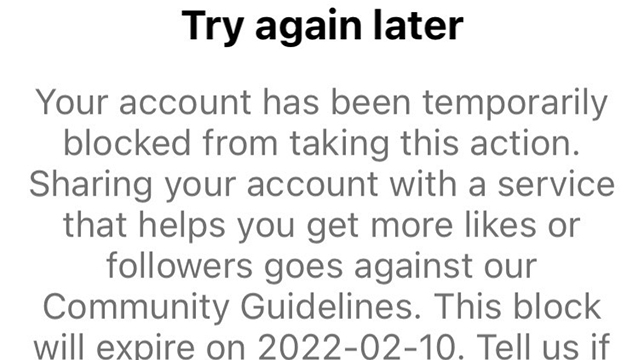
Steps for Facebook/Meta
- Follow the On-Screen Prompts: When you attempt to log in, Facebook will often provide a direct link to the Help Center. Follow these instructions, as they are tailored to your specific account status.
- Wait Out the Cooldown: In many cases, a temporary block is time-bound. If the error message suggests waiting, avoid trying to log in for at least 24 to 48 hours. Constant attempts can reset the timer.
- Clear Browser Cache: Sometimes, the issue is stored in your browser’s cookies. Clear your cache and cookies, then try logging in from a different device or a “Private/Incognito” window.
Troubleshooting IP-Based Blocks
Sometimes, the issue isn’t your account, but your IP address. If you are using a VPN or a public Wi-Fi network, the platform may have flagged the IP as a source of spam.
<img alt="Your IP Has Been Temporarily Blocked: 7 Ways to Fix It" src="https://static1.howtogeekimages.com/wordpress/wp-content/uploads/2023/06/52809994035dc5e180d9ao.jpg” style=”max-width:100%; height:auto; border-radius:8px; margin: 1rem 0;” />
- Disable Your VPN: If you are connected to a VPN, disconnect it. These services often share IP addresses with thousands of users, some of whom may have triggered blocks.
- Switch Networks: Try connecting to your mobile data instead of your home Wi-Fi. If you can log in while on cellular data, your home IP address might be temporarily blacklisted.
- Restart Your Router: For home users, restarting your modem/router can often assign you a new dynamic IP address, bypassing the block.
Proactive Tips to Prevent Future Blocks
Prevention is always better than the cure. Follow these best practices to keep your accounts secure and accessible in 2026:
- Enable Multi-Factor Authentication (MFA): This is the single most effective way to prove to platforms that you are the legitimate user, reducing the likelihood of automated locks.
- Avoid Third-Party “Growth” Tools: If you use apps to automate liking, following, or posting, stop immediately. These are the primary cause of temporary bans on social media.
- Keep Your Information Updated: Ensure your recovery email and phone number are always up to date. Without these, recovering a locked account becomes significantly more difficult.
- Use Strong, Unique Passwords: Use a password manager to maintain distinct credentials for every site, reducing the risk of a “credential stuffing” attack that triggers security locks.
Conclusion
Getting an “Account Temporarily Blocked” notification is frustrating, but it is rarely a permanent situation. By following the verification steps provided by the platform, clearing your browser data, and ensuring your IP address is clean, you can usually restore access within a few hours.
Remember, these blocks are in place to keep your data safe from hackers. If you continue to face issues, reach out to the official support channels for that specific platform. Stay patient, follow the protocols, and you’ll be back online in no time!