
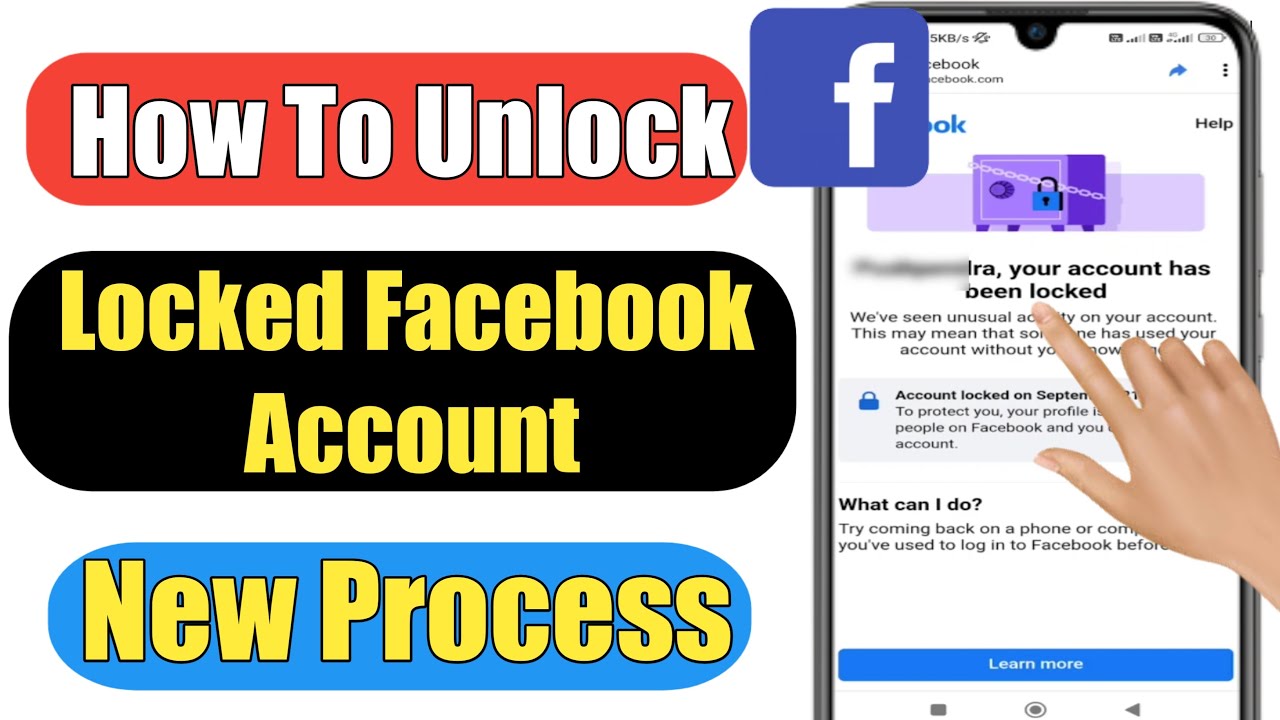
Is your screen staring back at you with that dreaded “Your Account Has Been Locked” notification? You aren’t alone. As we navigate the digital landscape in 2026, Facebook’s security algorithms have become more sophisticated than ever. While this is great for preventing unauthorized access, it often leads to legitimate users getting locked out of their profiles.
If you are frantically searching for a Facebook account locked fix 2026, don’t panic. In most cases, this is a temporary security measure designed to protect your data. This comprehensive guide will walk you through exactly why this happens and, more importantly, how to regain access to your account quickly.
Why Does Facebook Lock Accounts in 2026?
Understanding the “why” is the first step toward the “how.” Facebook’s automated systems are constantly scanning for patterns that deviate from your normal behavior. When the system detects something suspicious, it triggers an automatic lock to prevent potential identity theft or spam.
Common reasons for a locked account include:
- Unusual Login Locations: Accessing your account from a country or city you’ve never visited before.
- Multiple Failed Login Attempts: Trying to guess your password too many times in a short window.
- Suspicious Activity: Sending mass messages, posting spammy links, or joining too many groups in a single hour.
- New Device Usage: Logging in from a device that the Facebook security database doesn’t recognize as “trusted.”
- Violation of Community Standards: If your content or behavior is flagged by other users, Facebook may impose a security lock while they review the situation.
Immediate Steps to Fix a Locked Facebook Account
When you see the message, the best approach is to follow the prompts provided directly by the platform. Facebook’s Help Center is the primary authority for recovery.
1. Verify Your Identity
Facebook will typically prompt you to confirm your identity. This is the most common Facebook account locked fix 2026. You may be asked to:
- Receive a security code via your registered mobile number.
- Confirm your identity by identifying photos of your friends.
- Upload a government-issued ID if the system requires a manual review.
2. Check Your Email and Notifications
Always check the email address associated with your Facebook account. Facebook often sends a link to unlock your profile or explains exactly why the lock was placed. If you don’t see it in your inbox, check your spam or junk folder as these security alerts are frequently filtered out.
3. Clear Cache and Use Trusted Devices
Sometimes, the issue isn’t your account, but your browser. Try clearing your browser’s cache and cookies, or attempt to log in using a device you have frequently used in the past (like your primary home laptop or your smartphone).
Advanced Troubleshooting for 2026
If the basic steps don’t work, you may need to escalate your recovery effort. The digital landscape of 2026 requires patience, as security protocols are tighter than ever.
- Avoid Third-Party “Unlock” Scams: Be extremely cautious. There are many websites claiming they can “hack” or “unlock” your account for a fee. These are scams. Only use the official Facebook recovery tools.
- Wait Out the Temporary Lock: If you have triggered a temporary lock due to high activity, sometimes the best fix is to simply wait. Leave the account alone for 24 to 48 hours and try logging in again.
- Use the “Report a Login Issue” Form: If you are still locked out, navigate to the Facebook “Report a Login Issue” form. Provide as much detail as possible, including your account email and a clear description of the error message you are seeing.
How to Prevent Future Locks
Once you get back into your account, you’ll want to ensure you never have to deal with this headache again. Prevention is the best medicine.
- Enable Two-Factor Authentication (2FA): This is the single most effective way to prevent unauthorized access and keep your account in good standing with Facebook’s security algorithms.
- Update Your Contact Info: Ensure your email and phone number are current. If you lose access to these, you lose your primary recovery methods.
- Avoid Automated Tools: Do not use third-party apps to automate your Facebook posts or interactions. These are frequently flagged as “malicious” by Facebook’s 2026 security updates.
- Practice Safe Browsing: Keep your antivirus software updated to ensure your device isn’t compromised, which could lead to your account being used for spam without your knowledge.
Conclusion
Getting locked out of Facebook is frustrating, but it is rarely the end of the road. By following the official verification steps and maintaining secure account habits, you can resolve the issue effectively. Remember, the Facebook account locked fix 2026 is designed to keep your personal data safe, not to punish you. Stay patient, follow the instructions provided by Facebook, and you will regain access to your digital life in no time.